Operation
Operating Modes
The EH Locator operates in two modes, configurable via Haltian Field.
Router Mode
In router mode, the EH Locator actively participates in the Wirepas mesh network:
- Receives and transmits BLE messages from asset tags and other routers
- Transmits beacon messages every second (configurable) for positioning
- Requires USB-C or sufficient light harvesting for continuous operation
- Can operate up to 10 days on battery alone during power outages
Beacon Mode
In beacon mode, the EH Locator operates as a positioning reference only:
- Does not route tag messages to other devices
- Transmits beacon messages for tag positioning accuracy
- Operates on minimal power consumption
- Can operate up to 4 years on battery alone
Battery Life by Mode
| Operating Mode | Battery Life (no external power) |
|---|---|
| Router Mode | Up to 10 days (fully charged battery) |
| Beacon Mode | Up to 4 years (fully charged battery) |
Energy Harvesting & Power Management
The EH Locator has two power sources: USB-C (5V) and light harvesting via the integrated solar panel. The internal 1,850 mAh Li-ion battery maintains operations when external power is unavailable.
Indoor Light Brightness Requirements
For router mode operation without USB-C power, minimum weekly light exposure is required:
| Lux Level | Router: Min Light Hours/Week |
|---|---|
| 40,000 lux | 35 hours |
| 35,000 lux | 45 hours |
| 30,000 lux | 50 hours |
| 25,000 lux | 65 hours |
| 20,000 lux | 85 hours |
| 15,000 lux | 168 hours (always on) |
| 10,000 lux | Use USB-C power |
Measure lux levels at the height where the EH Locator will be installed — not at desk level. Office lighting typically provides 300–500 lux at desk level, but 10,000–40,000+ lux directly under ceiling fixtures.
For beacon mode, the device can operate up to 4 years on a fully charged battery. Even at low indoor light brightness (10,000 lux), the energy harvesting system can recharge the battery.
USB-C Power
When using USB-C power (5V adapter or PoE-USB-C cable):
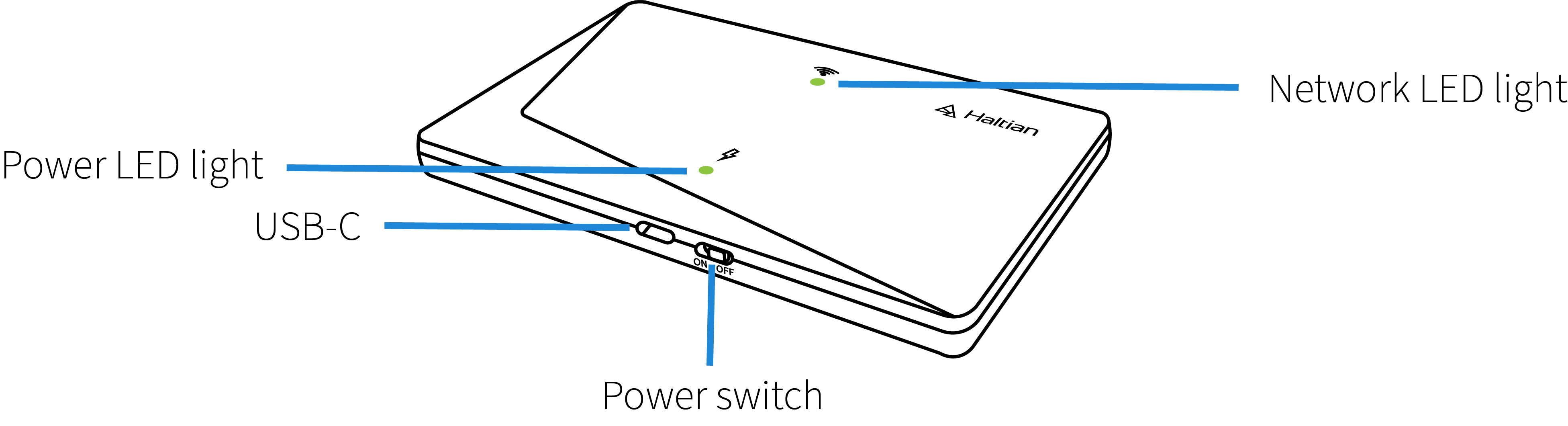
- The Power LED shows constant green
- The battery charges continuously
- The power outlet should be near the locator and easily accessible
LED Status Indicators
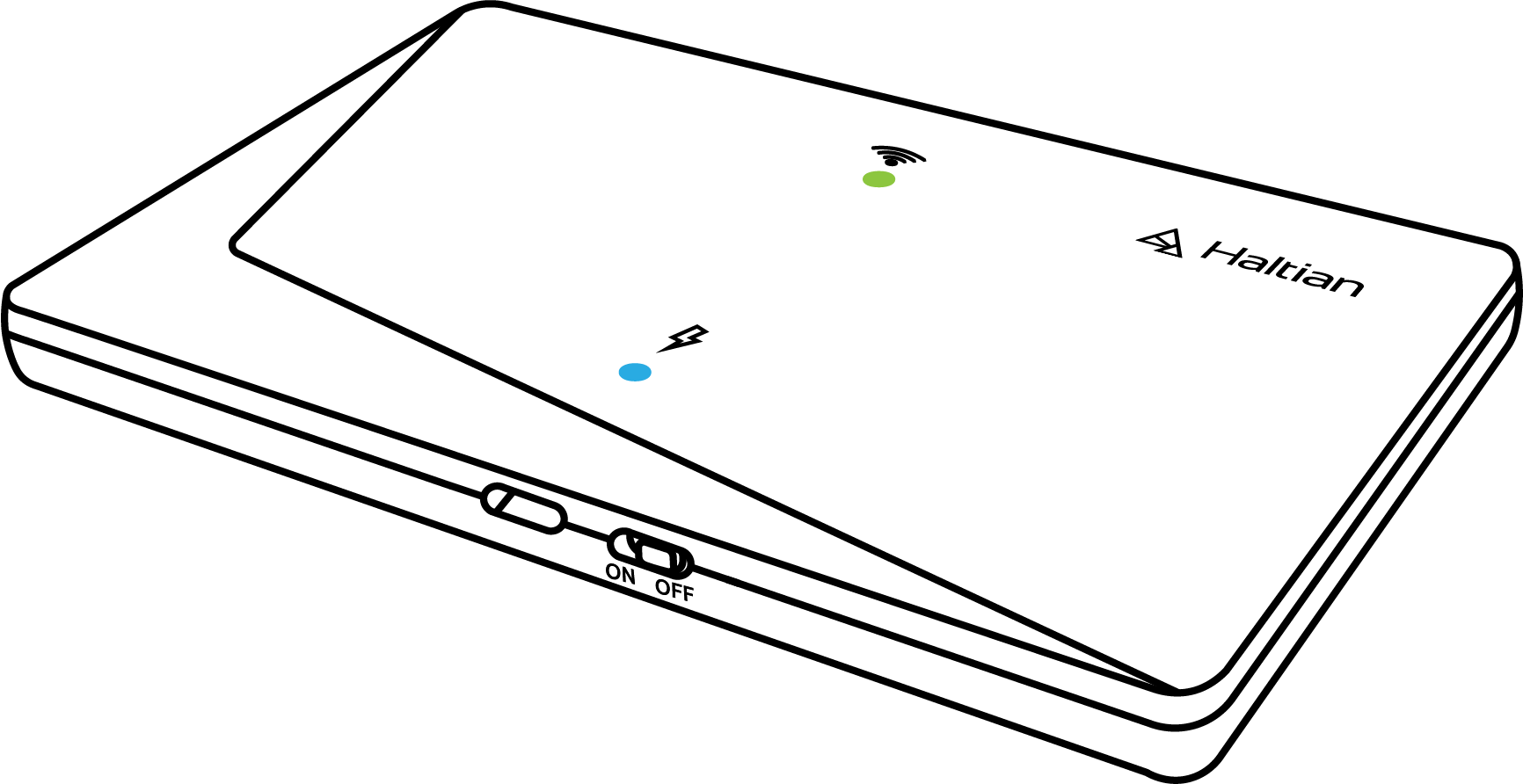
The EH Locator has two LEDs: a Power LED (green only) and a Network LED (red/green/blue).
All LED States
| State | Power LED | Network LED | Meaning |
|---|---|---|---|
| 0 | Off | Off | Device powered off (switch at off position) |
| 1 | Off | Blinking green (0.5s/0.5s) | Device powered on, running on battery |
| 2 | Constant green | — | USB/PoE power connected |
| 3 | Constant green | — | Solar harvesting producing sufficient power |
| 4 | — | Blinking green (0.5s/0.5s) | Establishing mesh network |
| 5 | — | Constant green | Mesh network established |
| 6 | — | Constant green | Operating in Router mode |
| 7 | — | Constant blue | Operating in Beacon mode |
| 8 | — | Blinking red (0.5s/0.5s) | Error: network issue |
| 9 | — | Blinking red (0.5s/0.5s) | Error: battery low |
| 10 | Off | Off | Undefined error (message sent to backend) |
“—” means the LED remains in whatever state was set by a previous condition.
LED Power-Saving Behavior
When the device is operating normally (state 6 or 7):
- First 10 minutes: LEDs are solid — use this window for installation verification
- After 10 minutes: LEDs flash for 2 seconds every 10 seconds to conserve power
- LEDs return to continuous display when a state change is detected
LEDs turning off after 10 minutes is normal power-saving behavior, not an error. The device continues operating normally.
Configuration
EH Locators are configured and managed through Haltian Field.
Setting Operating Mode
- Navigate to the device in Haltian Field
- Select Configuration tab
- Choose operating mode:
- Router — For mesh networking and message forwarding
- Beacon — For positioning reference only
- Save configuration
- Device will update remotely
The Network LED will change to reflect the new mode: green for Router, blue for Beacon.
Status Monitoring
In Haltian Studio you can monitor:
- Battery level and power source (solar/USB-C)
- Operating mode (Router/Beacon)
- RSSI signal strength (should be > -85 dBm)
Network Planning
For optimal tracking and positioning performance:
- Locator Density — Deploy sufficient locators for complete area coverage
- Spacing — Follow recommended guidelines (see Glossary for “Locator Spacing”)
- Mounting Height — Install at least 2.5m (7.5 feet) from floor for wall mounts
- Avoid Obstructions — Minimize metal surfaces blocking RF communication
- Power Planning — Ensure adequate lighting for energy harvesting in router mode, or plan USB-C power routing