Device Groups
Overview
Device groups let you organize devices into logical collections. Unlike browsing by model (which groups by hardware type), device groups are custom-defined collections that you create for your own purposes — such as representing a room with multiple sensors, a functional system, or a maintenance batch.
For a full explanation of what device groups are and how they work with the Occupancy Data Engine, see Device Groups concept and Sensor Composition.
All roles can browse device groups. Editing requires Installer, Designer, or Manager role.
Browsing Device Groups
- Click Devices in the top navigation
- Click Device Groups in the sidebar
- You see a list of all device groups with device counts
Click a group to see its members.
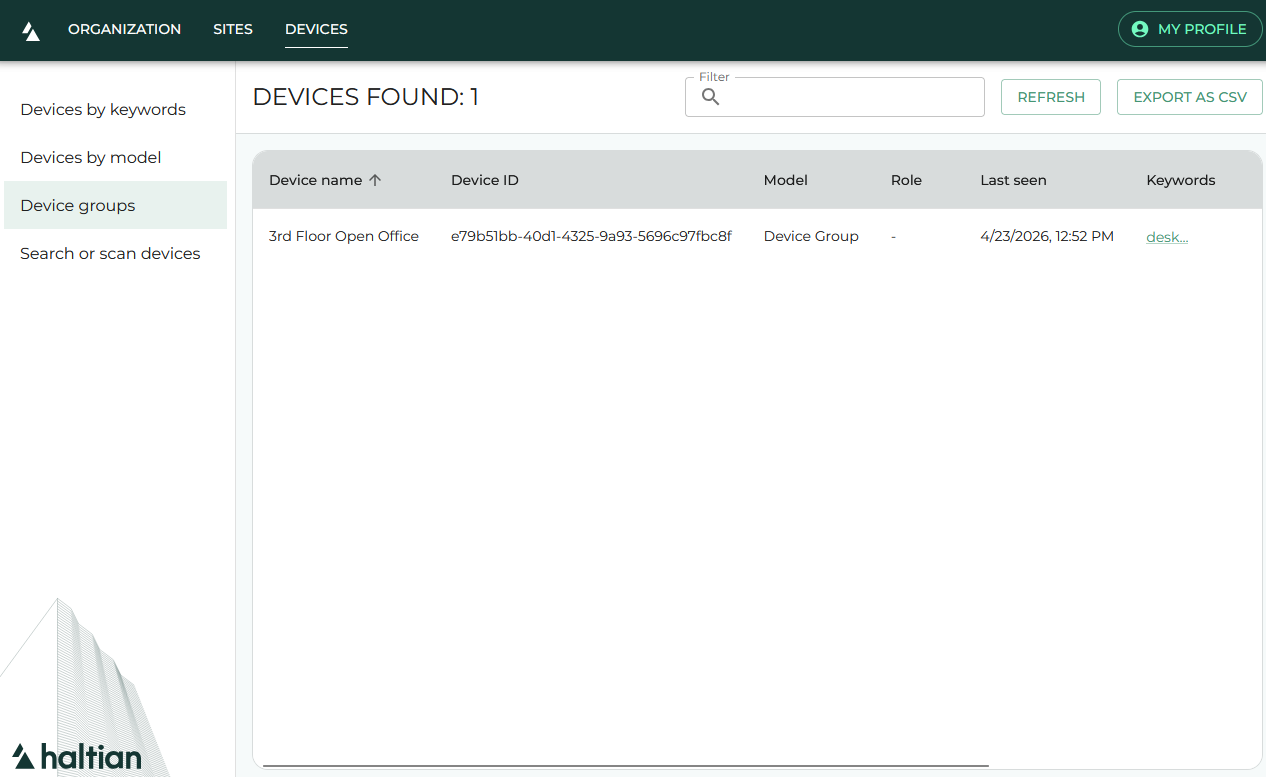
Device List
After selecting a group, you see all devices in that group. Each device shows:
- Device name
- Device model
- Connection status
Click any device to open its Device Details.
Exporting to CSV
Click Export as CSV in the toolbar to download the group’s device list as a semicolon-delimited CSV file.
Refreshing
Click the refresh button to reload the group with the latest data.
Next Steps
- Devices by Model — Browse by hardware type
- Devices by Keywords — Browse by keyword tags
- Device Details — View full device information