Device Alerts
Overview
The Alerts section helps you identify devices that need attention. It includes separate views for low battery levels and devices that have stopped communicating.
Alerts are available to Manager, Designer, and Installer roles. Viewers do not have access to Alerts.
To open Alerts, click Alerts in the top navigation, then select Battery Alerts or Inactivity Alerts from the sidebar.
Both views let you sort the table, refresh the data, export the results as a CSV file, and open a device’s details by clicking its row.
Battery Alerts
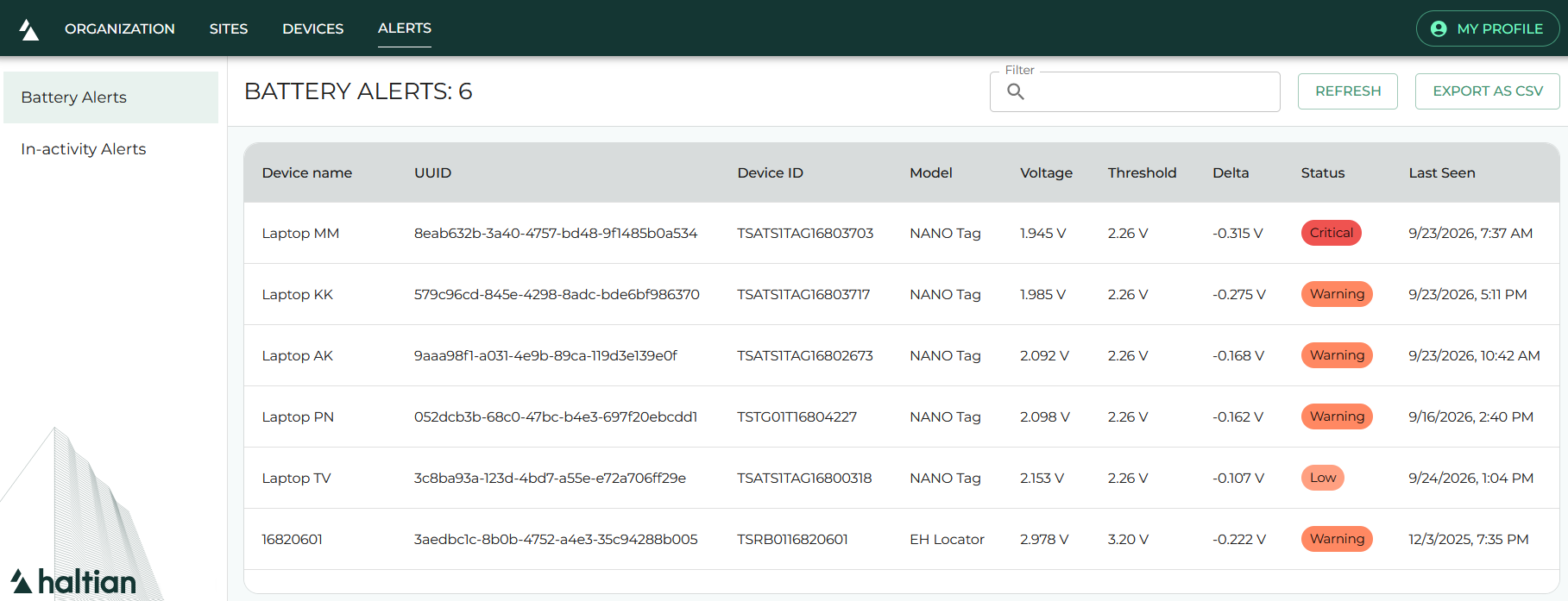
Battery Alerts lists devices whose reported battery voltage is below the configured threshold. It currently monitors these device types:
| Device type | Battery threshold |
|---|---|
| NANO Tag | 2.26 V |
| EH Locator | 3.20 V |
| Viking Slim Wirepas | 2.10 V |
The table shows the device name, UUID, device ID, device type, measured voltage, threshold, difference from the threshold, status, and last-seen time.
| Status | Condition |
|---|---|
| Low | Less than 0.15 V below the threshold |
| Warning | At least 0.15 V, but less than 0.30 V, below the threshold |
| Critical | At least 0.30 V below the threshold |
Use this view to prioritize devices with the lowest voltage or the most critical status.
Inactivity Alerts
Inactivity Alerts lists NANO Tags, Viking Slim Wirepas devices, and gateways that have not communicated recently. Devices already shown in Battery Alerts are excluded from this view.
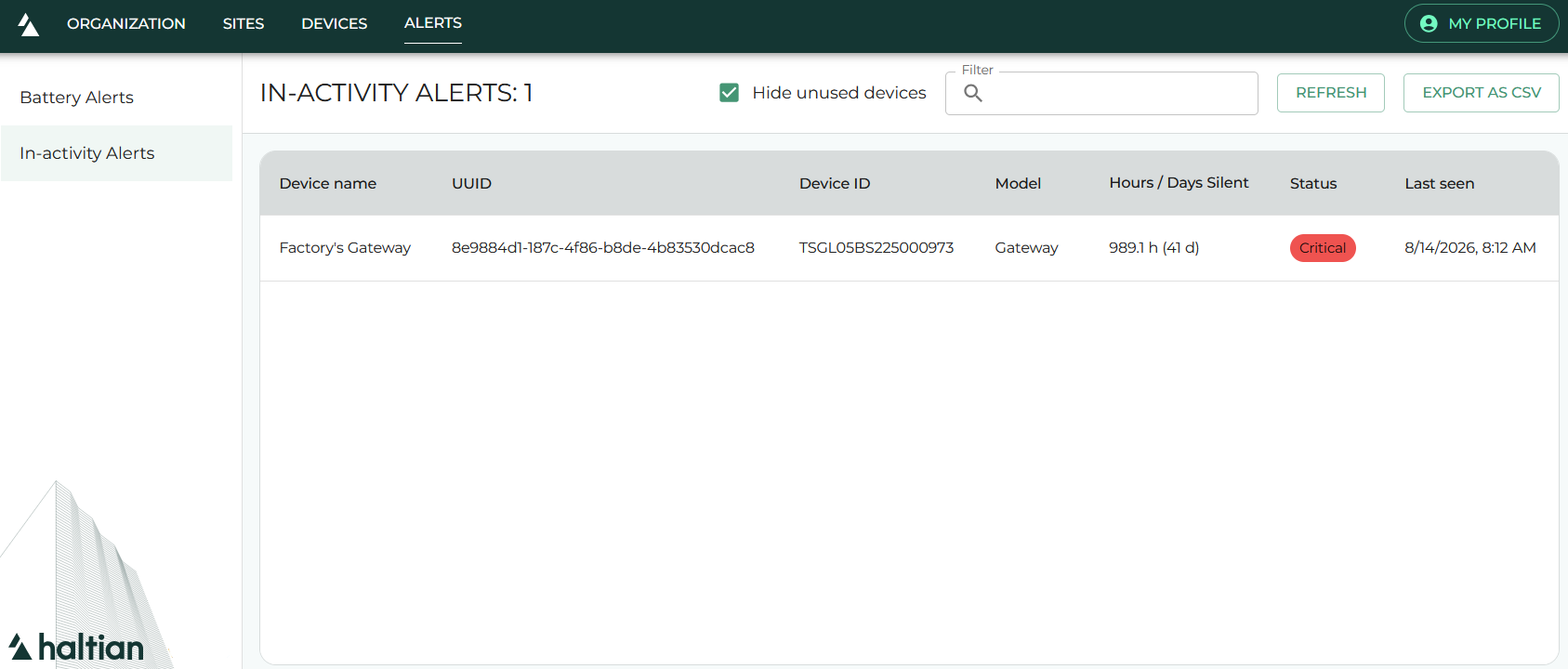
The table shows the device name, UUID, device ID, device type, time since the last communication, status, and last-seen time.
| Status | Time since last communication |
|---|---|
| Inactive | At least 24 hours |
| Warning | At least 48 hours |
| Critical | At least 72 hours |
| Never | The device has no recorded communication |
The Hide unused devices option is enabled by default. It hides devices that have never communicated, so you can focus on devices that may have stopped reporting. Clear the option to include those devices in the table.
Next Steps
- Device Details — Review a device’s identifiers, connectivity, diagnostics, and measurements
- Troubleshooting — Resolve common device and connectivity issues