Inventory by Zones
For Viewers & Installers
Roles: Viewer, Installer, Designer, Manager
Browse devices organized by their physical location in the space hierarchy.
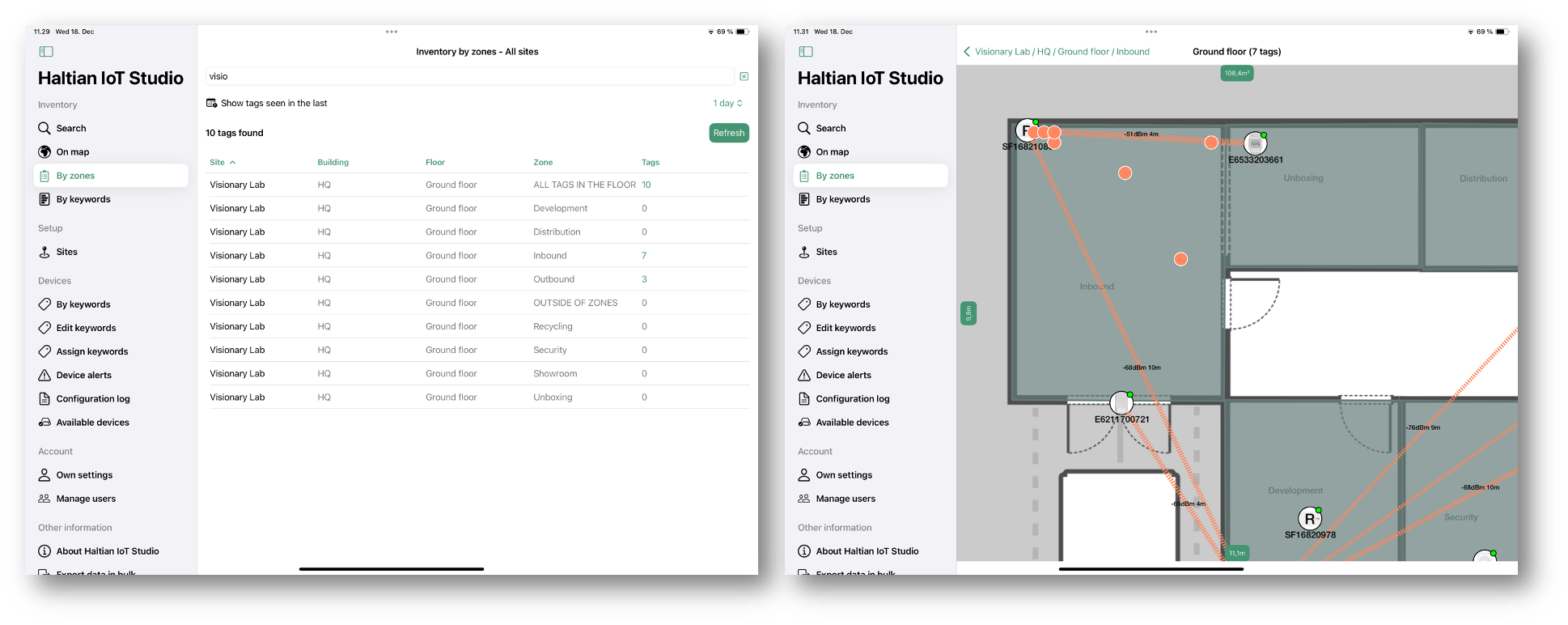
Accessing Zones Inventory
From the sidebar, tap By zones under the Inventory section.
Space Hierarchy
The hierarchy follows this structure:
Organization
└── Site (Location)
    └── Building
        └── Floor
            └── Zone
                └── Devices
Navigating the Hierarchy
- Select a Site from the list
- Select a Building within the site
- Select a Floor within the building
- Select a Zone to see its devices
- Tap a Device to view details
Table View Features
- Device count: Each level shows the number of contained devices
- Pull to refresh: Update the device list
- Search/Filter: Filter devices within a zone
Understanding the Structure
Sites (Locations)
The top level of the hierarchy representing physical locations or campuses.
Buildings
Physical structures within a site. A site may contain multiple buildings.
Floors
Levels within a building. Typically numbered or named (e.g., “Ground Floor”, “Floor 1”, “Basement”).
Zones
Logical areas within a floor, such as:
- Rooms or offices
- Corridors
- Common areas
- Storage areas
Devices
Individual IoT sensors installed within zones or directly on floors.
Use Cases
The zone-based inventory is useful for:
- Physical site navigation: Find devices by their real-world location
- Installation verification: Confirm devices are in correct locations
- Maintenance planning: Identify all devices in a specific area
- Space-based analytics: Understand device distribution per room/zone
Tag Position Tracking
For assets with position-enabled tags, Haltian IoT calculates approximated indoor positions. This data is available as:
- Zone-based inventory: Which zone contains the asset
- Position coordinates: WGS84 (global) and local coordinates
- Movement history: Track asset movement over time
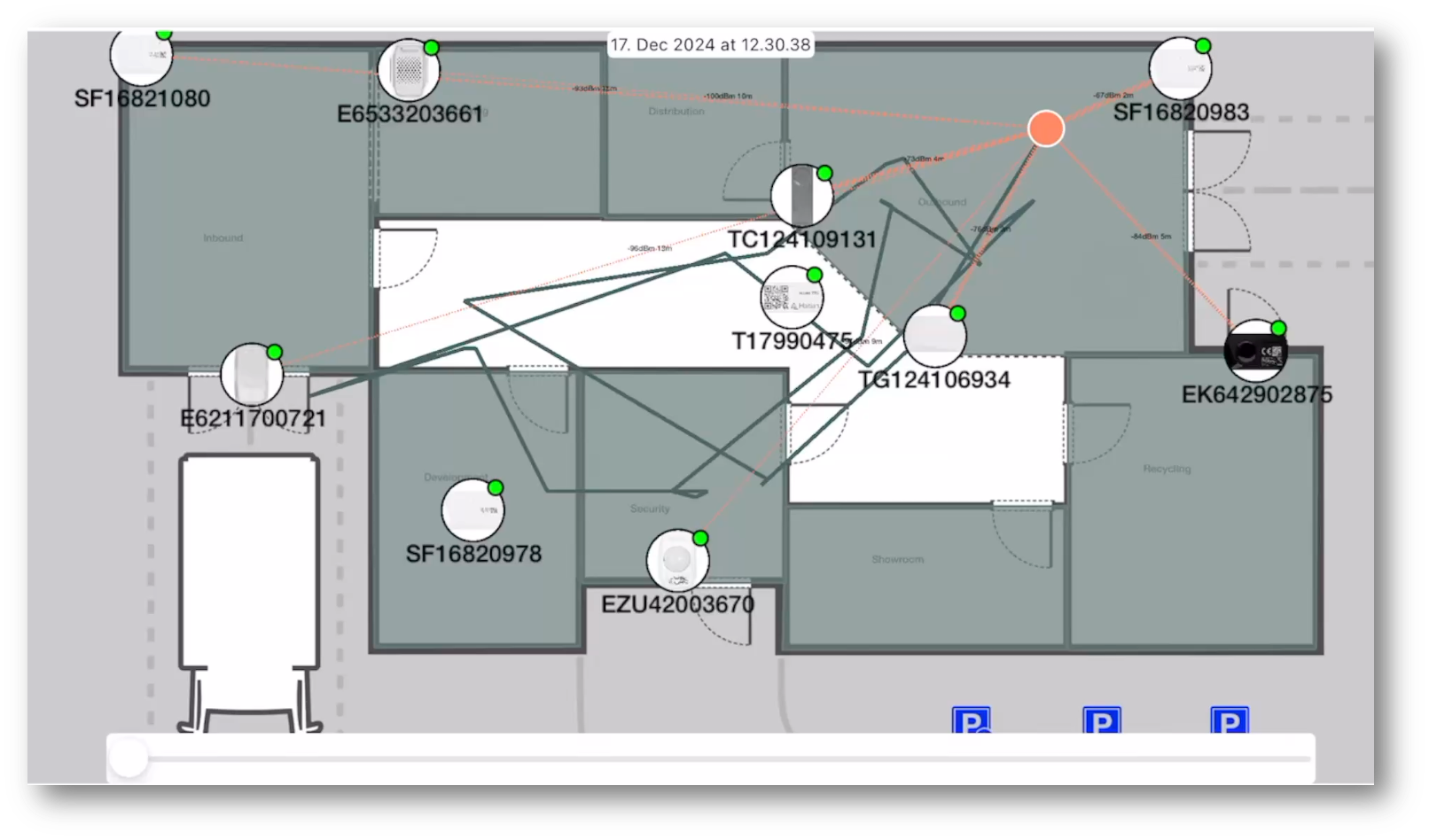
The position debugging view shows frame-by-frame RSS (Received Signal Strength) values, which is helpful for verifying proper tag positioning and troubleshooting location accuracy issues.
Next Steps
- Inventory by Keywords - Browse devices by keywords
- Device Details - View detailed device information
- Zone Management - Create and manage zones