Device Details
Overview
The Device Details screen shows comprehensive information about a single device. Access it by tapping any device in search results, favorites, or recents.
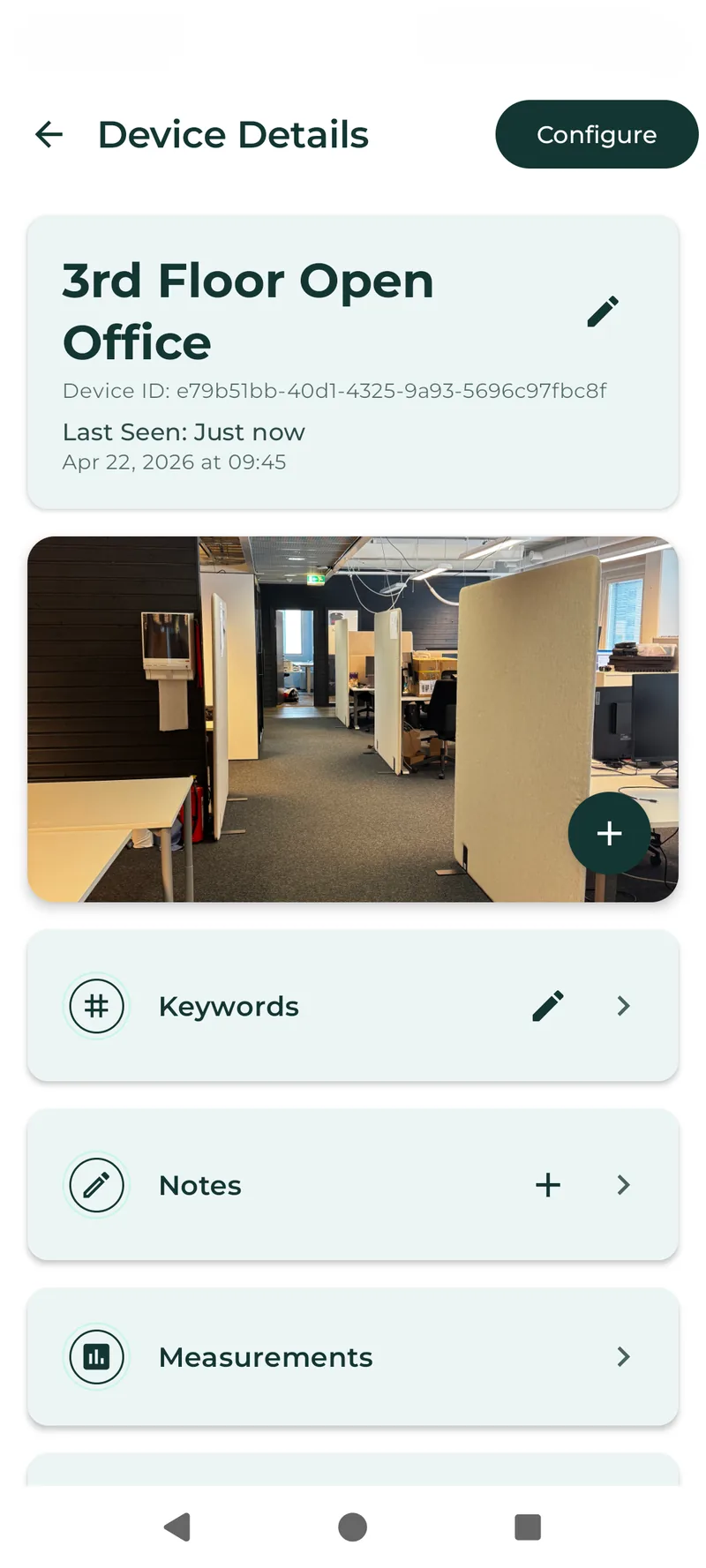
Android
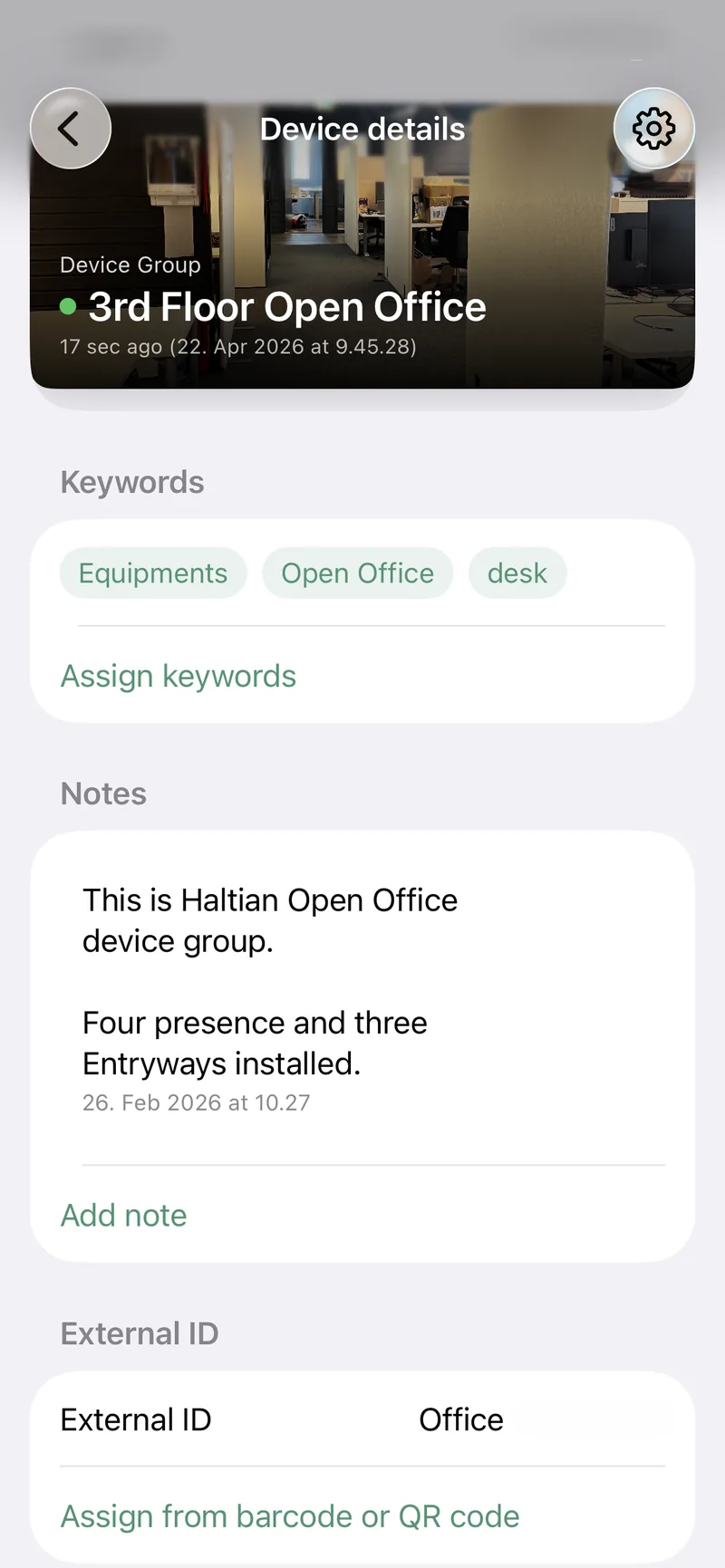
iOS
The top bar shows Device Details with a back arrow and a Configure button (visible to Installer, Designer, and Manager roles).
Device Name and Status
At the top of the screen you see:
- Device name — tap to edit (Installer role and above)
- Device ID — the unique platform identifier
- Last seen — timestamp showing when the device last communicated
- Green indicator: seen within the last 24 hours
- Orange indicator: last seen more than 24 hours ago
Thumbnail Image
Below the device name, a 16:9 image area shows the device photo. If no photo exists, you see a “Tap to add photo” placeholder. Tap to capture a new photo or upload an existing file. See File Attachments for details.
Keywords
The keywords section displays all keyword tags assigned to this device as colored chips. If none are assigned, it shows “No keywords assigned.”
Tap the edit button to open the keyword assignment screen. See Keywords for details.
Notes
Notes appear as a chat-like list, ordered by most recent first. If no notes exist, you see “No notes yet. Tap + to add one.”
Tap the + button to add a new note. Tap any existing note to view, edit, or delete it. See Notes for details.
Measurements
The measurements section lists all available sensor readings for this device. Each measurement shows:
- Measurement type name and icon
- Latest value with unit
- Timestamp of the reading
Tap any measurement to view its history chart. Tap the star icon on a measurement to add it to your Favorites dashboard.
See Measurements for the complete list of supported measurement types.
Location
The location section shows:
- Space hierarchy — breadcrumb path showing Location > Building > Floor
- Map — interactive map with the device’s GPS coordinates marked
- Coordinates — latitude and longitude values
Tap the map to expand it to fullscreen. See Map and Location for details.
Identifiers
The identifiers section lists all device identifiers. External ID is editable (Installer role and above); all others are read-only.
| Identifier | Description |
|---|---|
| External ID | Custom identifier assigned by your organization (editable) |
| Customer Label ID | Label ID from the device packaging |
| Vendor Serial | Manufacturer serial number |
| Wirepas Node ID | Wirepas mesh network node identifier |
| Wirepas Network ID | Wirepas network identifier |
| WiFi MAC | WiFi MAC address |
| LAN MAC | Ethernet MAC address |
| BLE MAC | Bluetooth Low Energy MAC address |
| IMEI | International Mobile Equipment Identity |
| TUID | Thingsee Unique Identifier |
| GIAI | Global Individual Asset Identifier |
| Device ID | Platform-assigned unique identifier |